
Semantic objects
Objects, not stitch soup.
Satin columns, tatami fills, runs, appliqué and lettering stay editable. Change a property and the stitches regenerate from your intent. Try it.
Ocean Crest, computed in Embrova
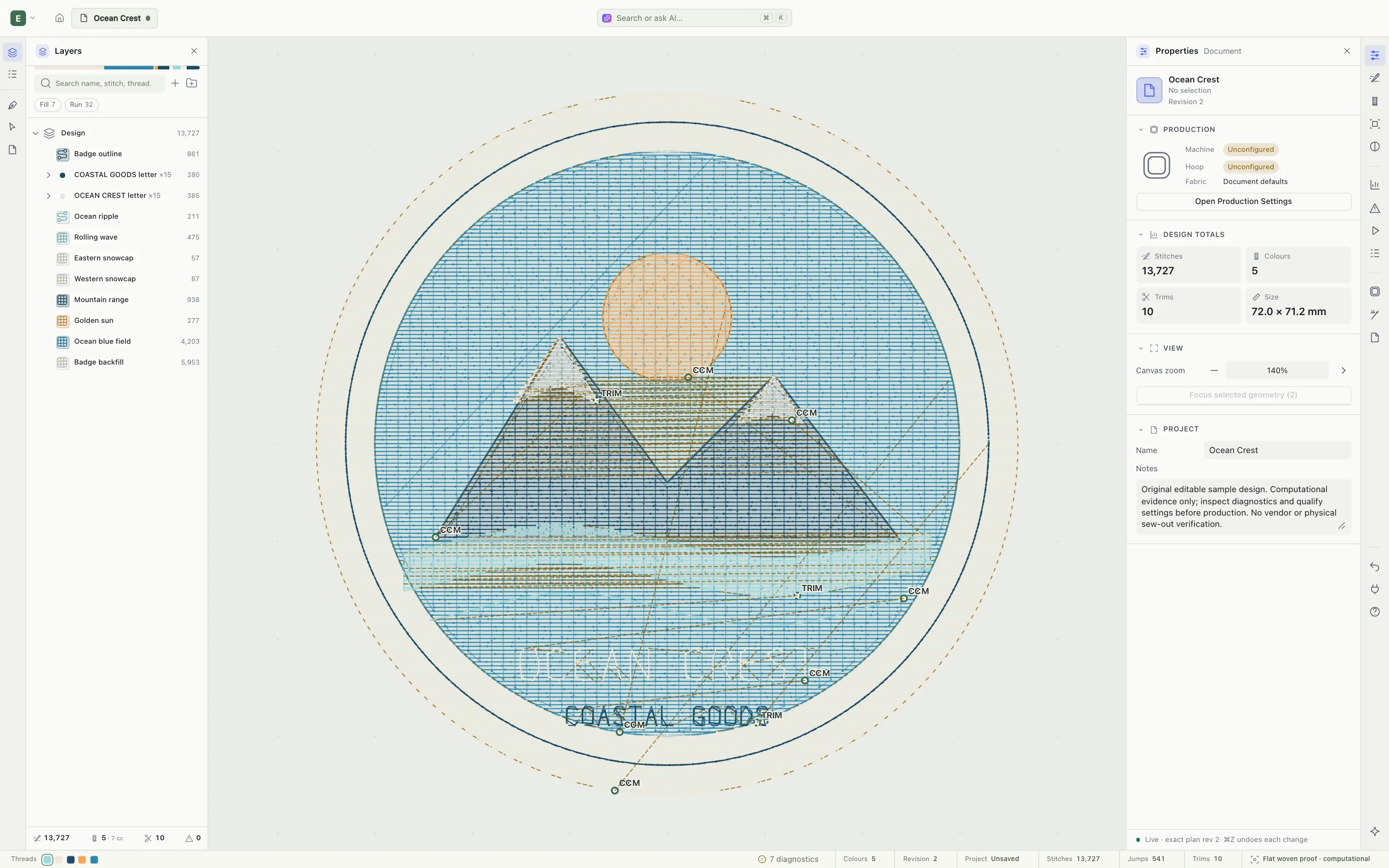
Go on — click the dock. Switch views, press P to stitch a line, R for a tatami fill, H to pan. Screens are captured from the current development build.
Craft
An embroidery-first CAD tool, not a vector editor with a file exporter bolted on. The things that decide how a design sews are always in reach — and always honest.
Satin columns, tatami fills, runs, appliqué and lettering stay editable. Change a property and the stitches regenerate from your intent. Try it.
Hierarchy lives in Layers. Stitching sequence lives in Sequence. Never conflated.
Entry and exit, jumps, trims and colour changes aren’t buried in a dialog.
Realistic and 3D read the same exact plan. Hover to orbit.
Proposals are validated, previewed and accepted as a single undo. The deterministic compiler stays the stitch engine — and every edit still works without AI.
DST and PES are written, read back and compared, command by command.
Process
Scroll, and watch it sew.
Pen, shapes and lettering on a real vector canvas. Bring in SVG artwork and keep editing it.
Make shapes into satin, fill and run objects. Entry, exit, underlay and pull compensation stay in reach.
Embroidery, Realistic and 3D are views of one document — switching never converts or degrades a thing.
Machine files are artefacts; your .embrova project stays the editable master. The sew-out is still yours to judge.
Principles
The same document, engine and settings produce the same stitch plan. Every time.
A versioned, migratable project format with stable object IDs and physical units.
Direct manipulation, contextual docks, keyboard everywhere and a ⌘K palette.
